How it works
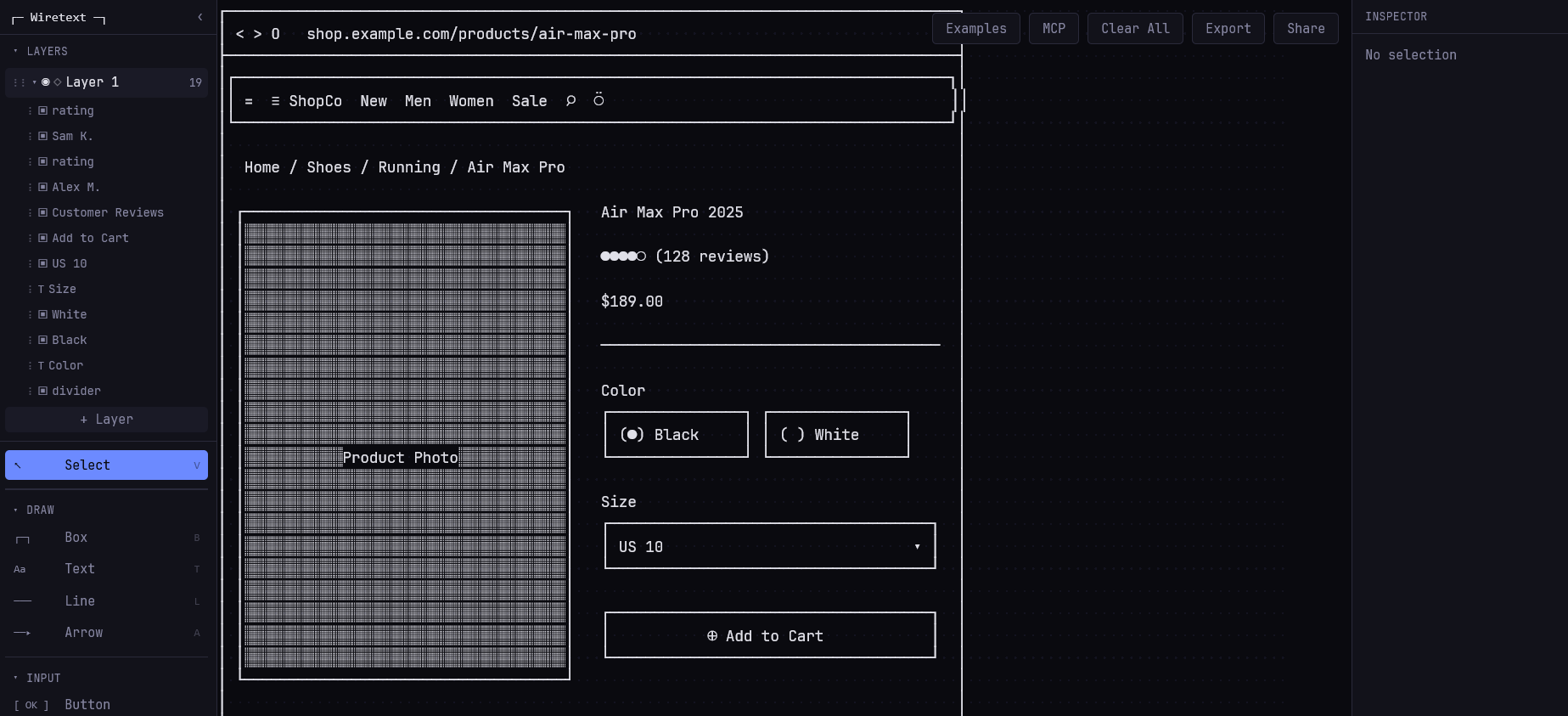
Wiretext operates entirely in your web browser, providing a canvas where you can "draw" using various Unicode text characters and pre-defined text-based UI components. Users interact with a simple toolbox that includes options for drawing basic shapes like Box (B) and Line (L), adding Text (T), and specific UI elements such as Button, Input, Checkbox, and Radio buttons. The tool also features more complex components like Navbar, Tabs, Table, Modal, and Card layouts, all rendered with text.
You can select and manipulate elements, adjust layers, and organize your design with ease. The minimalistic interface focuses on functionality, allowing for rapid iteration. Designs can be cleared, exported, or shared, making it a collaborative-friendly option for early design phases. It leverages the simplicity of text to convey complex structural ideas without the overhead of heavy graphical tools.
Why use it
Wiretext is an excellent choice for developers, product managers, and designers who need to quickly sketch out UI ideas or communicate interface concepts without getting bogged down by visual details. Its text-based approach fosters a focus on layout, information hierarchy, and user flow, making it ideal for brainstorming and presenting low-fidelity mockups.
The tool is particularly useful for command-line interface (CLI) or text-based application design, or when working in environments where graphical tools are not readily available or efficient. It's also great for creating ASCII art or simply exploring a unique, constraint-driven design process. Wiretext provides a highly accessible and lightweight method to prototype and share ideas, bypassing the learning curve often associated with more complex design software.